





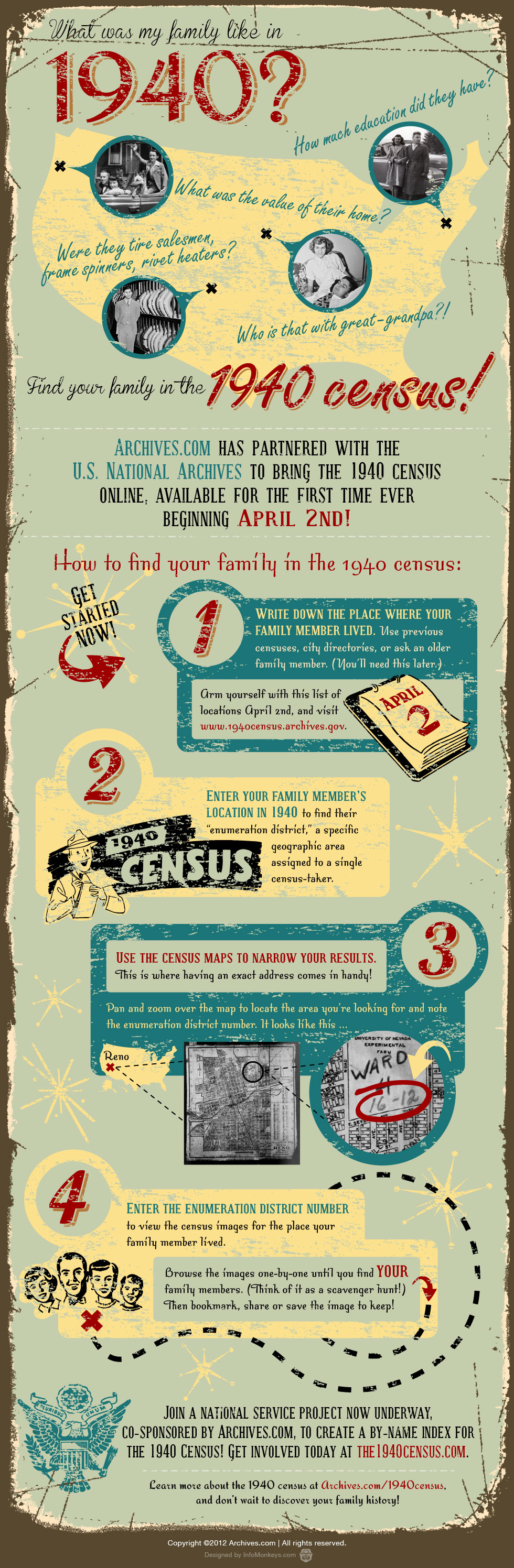
A nice 1940 Census Infographic courtesy of Archives.com –
- Archives
-
Mar29
No Comments1940 Census Infographic
Posted in: Census
-
Mar21
Google Map Marker & Icon Names
Posted in: Maps, Projects
Update March 24, 2016: Looking for some icons 4 years later I realized The Google’s original icon map now displays only red circles. But I dug up a new version and update the links and embedded map below.
I originally posted this quickie a few years ago, and have noticed that Google has added a few interesting symbols to their map marker collection.
So, if you like to personalize your Google maps head on over just to the left of Equatorial Guinea (which is where The Google happened to put these markers) and take a look. You can click on any icon to get the marker name, some tips on how to use it and a Learn More link that provides some additional info on creating maps using Fusion Tables. There is even more additional added information a their Change placemark icon page.
Also, for the record: there is one icon that looks like a skinny swastika – be aware that symbol has ancient origins that go far beyond its use and corruption by he who shall not be named.
Below is my original post, kept intact for reference by future archaeologists:
A quick post for today: During my research to create my Tierneys in NYC Directories map, I happened upon a nice reference over at The Google’s fusion tables – a map containing all of the available Google maps icons and their names…
You can find it here, or see below for a quick peek.
I’m also in the process of reading “Beginning Google Maps Mashups with Mapplets, KML, and GeoRSS: From Novice to Professional“, so far I’m liking the format and content. I’ll report back when I’ve had a chance to get all the way through.
-
Mar9
Online Resources – March 2012
Posted in: Resources, Technology, Video
The resources linked below have generally made their way around the genealogosphere in the last week or so, but I just thought I’d post them for quick access later…
Last month’s Who Do You Think You Are? Live 2012 has posted presentations and workshop handouts for your downloading pleasure here.
You can find RootsTech 2012 videos online here.
NARA has put Popular Know YourRecords Workshops Online for First Time!
My 5 year old daughter has drawn me a picture of a duck in a pond. (Not to be confused with the book at right, which is not only one of her new favorites to read, but whose title is my new non-offensive workplace interjection.)
(OK those last ones aren’t genealogy-related, but I was on a roll.)
-
Mar2
Ship of Flocculence
Posted in: Czech, Fun, Immigration, New York, Photo
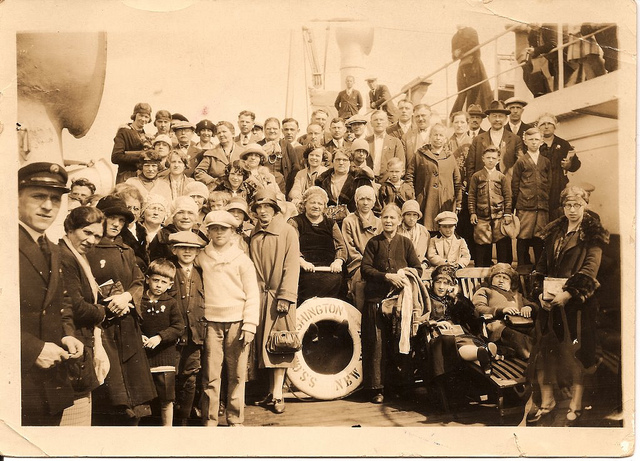
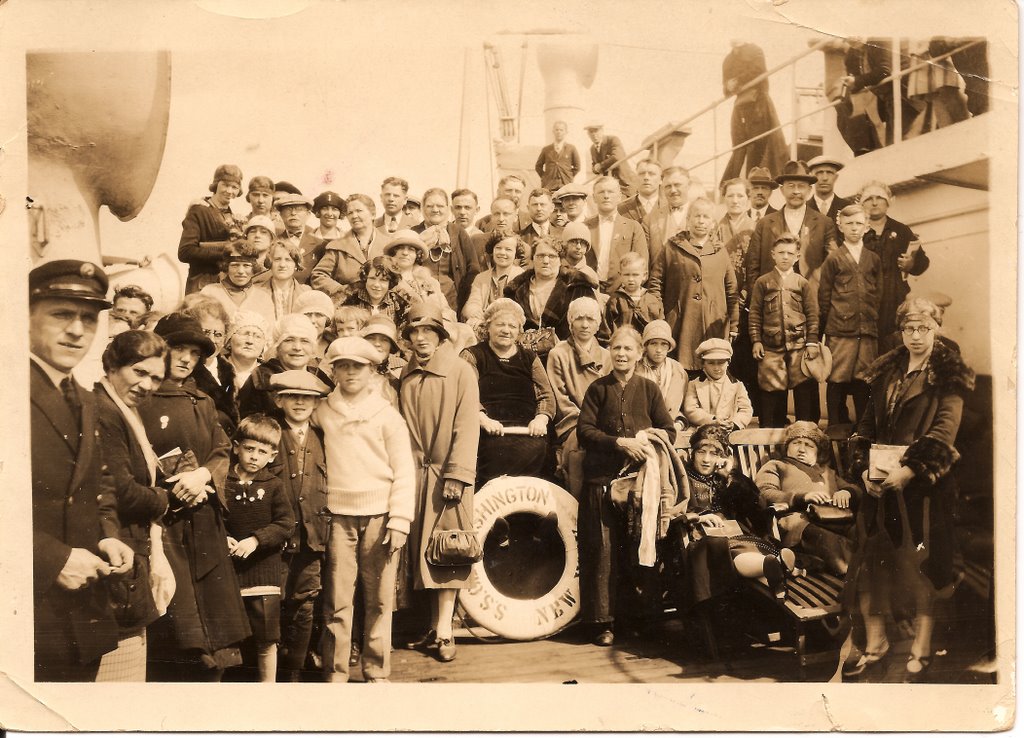
My grandmother Marie Simanek emigrated from Predmir, Czechoslovakia to New York in 1922, then returned home in 1926 to ask permission to marry my grandfather Joseph Vanac.
In this photo she is returning to New York – with approval to marry! (She is the upper left-most woman in the rear. Click on the photo for a larger image.)
It was taken in September, 1926 on the S.S. George Washington.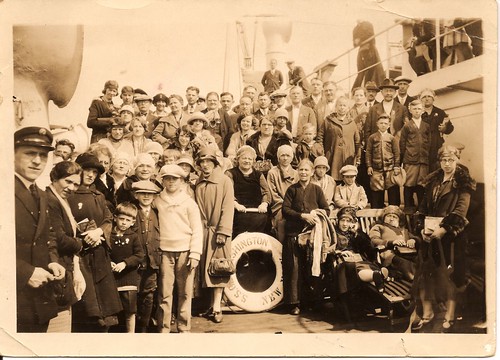
The photo as a whole is one of my favorites, but the ladies at the bottom are my favorite favorite.
-
Feb3
Refetter Yer Data
Posted in: Technology
After watching D. Joshua Taylor’s Rootstech session “Do I Trust the Cloud?” earlier today, I thought it might be a good idea to finish a blog post I’ve had in limbo for quite awhile now – how to encrypt your data to protect it if you use a cloud-based sharing or storage service.
But, that post of mine is mainly “How To” and not “Why To.” Here I’ll address some of the Why first.
First, I liked D. Joshua Taylor’s presentation. It had very many good points on the value of using cloud services, both from a data preservation and a collaboration standpoint. I’m all in – I use cloud services all the time and I’m with him on the potential of using these tools.
 But, we need to remember that these cloud services are just that – tools. They are not a panacea for your security nor your data storage and backup concerns.
At the start of the talk I felt he was overselling the “trust the cloud” part of his argument for using such services. He then followed up with a discussion of the pitfalls of cloud services and things one might want to verify with a service provider to insure their data was safe and available.
That was great – but as a security professional, I still think it felt a bit too much like the ultimate takeaway was “they’ll take care of your stuff and they’ll figure out how to make it secure, since it is in their best interest as a business to do a good job.”
Well, maybe. If you think cloud services (or any company) have it all figured out or are close to it, then you might want to leave your happy place for a minute and take a look at any day’s conversation on my Security & Privacy Twitter list of infosec professionals. Then, you might meander over to the DataLoss Database and check out the latest reports. It ain’t pretty
 While I’m a fairly heavy user of cloud services, I make sure that I have a definite plan for knowing what data I have, keeping multiple copies both in the cloud and locally, as well as maintaining a system of managing a string of backups over time.
I mean, who hasn’t overwritten a file by mistake? Raise your hand? Higher! I thought so.
Well, that can still happen with cloud-based services. Or, someone might breach the cloud service. Or, your local system might get infected, leading to easy access to your cloud data. Or, a service might change their privacy policy regarding your data – and once your data is out there, between backups and cached copies, there’s (almost) no un-ringing that bell.
Your data is still your data, no matter how you store it and to protect it you need to plan for the worst-case scenario. Because the funny thing about worst-case scenarios is when you expect them and plan for them, they don’t show up as often. Remember:
“Chance favors the prepared mind.” – Louis Pasteur
OK, so I’m done with building the bleak house. But, let’s just move forward with the following tenets in place:
- You need to decide how important each type of data is to you, and what might happen if it fell in the wrong hands.
- You can’t know for sure how secure any online service is, so act as if they are insecure. No matter what they tell you.
Realize now that I’m not saying you should consider these cloud services as evil, incompetent entities. Use them. Love them. Send them Christmas cards and name your children after them. But we all need to be realistic about both the opportunities they present and the risk you take when putting your stuff “out there.”
For me: Putting my open research and photos in the cloud? Great! Cousin Bait! Research help! Collaboration! Putting my taxes and medical records in the cloud? No thanks; the risk outweighs the benefit.
Here’s a simple way to harness the goodness of something like Dropbox without exposing your bits to the elements: Encrypt your data before you put it in the cloud.
TrueCrypt is a free open-source encryption software and is available for all major operating systems. You can encrypt an entire disk, or for our purposes here: create a virtual encrypted volume to put your data in. From your operating system’s perspective, this volume is simply another file.
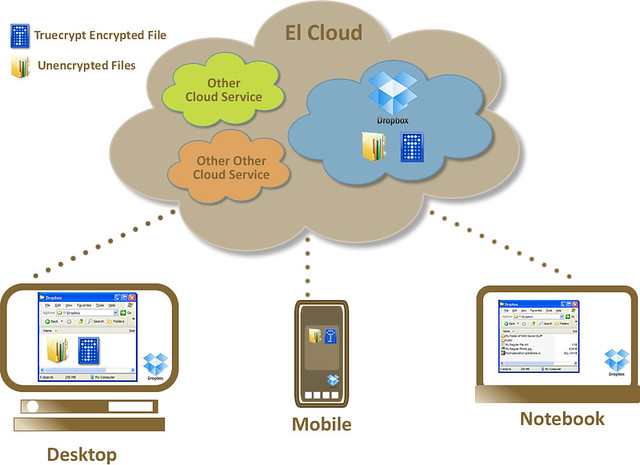
 At right is a simple diagram of using Dropbox and Truecrypt together to protect your data over and above the protections in place by the cloud provider.
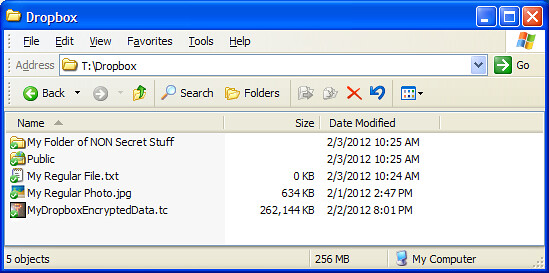
For example, I have Dropbox installed on my desktop, laptop and mobile devices. I have regular folders and files in it and a public folder for sharing with others. I also have an encrypted Truecrypt volume (read: file) that gets synced along with those other files.
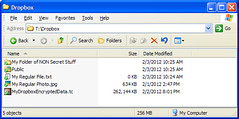 A Truecrypt volume contains a file system within it – so you mount the volume using the Truecrypt software, enter the correct password and it will look just like any other drive on your system. You can work with the files there just as you would any other.
When you are done working with the files, simply dismount the Truecrypt volume and Dropbox will sync it as usual. So you can have it all: availability, security and convenience.
I hope that wasn’t too long a post and that my soapbox wasn’t too high. It is an exciting time to research family history and to work online. But, sometimes we need to work to try not to get *too* excited.
In my next blog post I’ll provide some details and screen shots on how to create a secure Truecrypt volume.
About the Author

As I have discovered more evidence of my family’s immigrations and documentation of their lives, I have become entranced by the idea that while we live in different times we often travel similar paths. Read More
-
-