

• Oct28

    PC Cup Holder & Lighter
    As an IT professional there are quite a few tools that I find useful. And I’m not talking about the cigarette lighter cupholder bay at right.

    Anyway, quite handily a few of these tools that I speak of are also useful in doing genealogy and history research.

    This is the first post outlining  a few free or open source tools that are old favorites of mine. And I hope they will soon will be some of yours.*

    Greenshot

    There are many tools that allow you capture screenshots of web pages, programs or anything on your screen. Such captures are useful if you want to save an image in the context on the web page, or perhaps the settings of a site or program do not allow you to copy something you want to keep for reference later. (There are often ways around that, but perhaps that is a follow up post… assuming everyone promises to respect copyright.)

    The simplest way to capture a screen in Windows is to hit the <Print Screen> button, which copies the entire screen to the clipboard. Then you can paste the image into something else like Word or Paint. But, that can get old fast if you have more than a few screenshots to make – and that simple trick also captured the entire screen which is often much more real estate than you want and gives you more cleanup work later.

    So, enter Greenshot, a free and open source tool. From their site:

    Greenshot is a light-weight screenshot software tool for Windows with the following key features:

    • Create complete or partial screenshots quickly.
    • Easily annotate, highlight or obfuscate parts of the screenshot.
    • Send the screenshot to a file, the clipboard, a printer or as e-mail attachment.

    Read More

  • Oct17

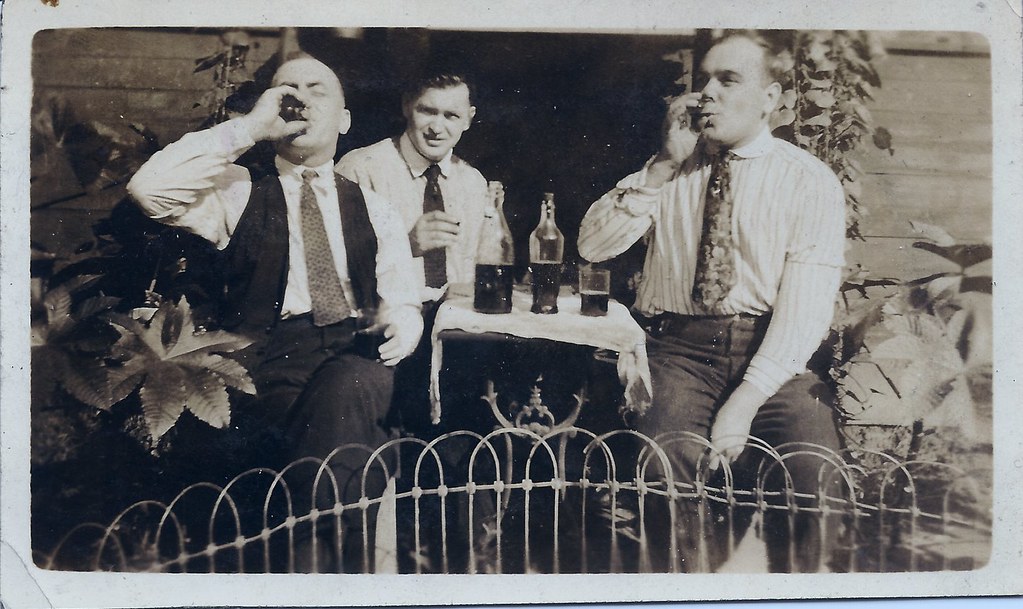
    Not much to describe on these photos – my grandfather John Tierney is the fellow on the left and I would guess this photo is circa 1920 or so. The man in the middle appears in some other photos and I suspect might be the husband of one of my grandfather’s sisters.

    Fire One!

    Fire Two!

  • Oct14

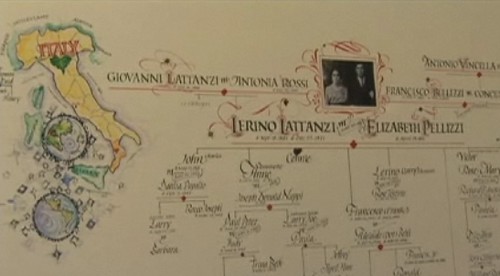
    Calligraphy Genealogy ChartSurfing at lunch time today I happened across these two short videos on using calligraphy for genealogy charts – absolutely beautiful work.

    Calligraphy Genealogy Charts: Structure

    Calligraphy Genealogy Charts: Designs

    I did not see any links to the artist’s  site anywhere on eHow, but after some short googling I found her at Super Calligraphics

    (I originally had the two videos embedded here, but the eHow player apparently has no way to disable autoplay. Sounds and videos that play as soon as a page loads are a huge pet peeve of mine and I don’t want to annoy anyone else…)

  • Oct14

    Great Uncle James has some things to learn. Like selecting the proper tool to pick up the baby.

    Uncle James' Baby Pitchfork

    James Farrell and my Dad, baby Mike Tierney

  • Oct13

      While listening to the Genealogy Gems Podcast a few weeks ago, Lisa Louise Cooke talked about waiting for her young grandson to call her Grandma and asked if anyone had any unusual terms of endearment they’d like to share.

    I sent along a story of how my son came up with an unusual name for my mother-in-law and Lisa asked if I could record it for her via Skype or a phone call. Pretty neat!

    I offered to record it and sent along an mp3 of the story (and was sure to include a sample of my son’s made-up name.) The nicest surprise was that Lisa also gave me a free year’s subscription to her premium podcast for using my story.

    So thanks very much to her! I will be checking out those Google Earth for Genealogy videos as soon as I get a chance, as I’m working on various mapping projects and can always use some more tricks in my magic bag.

    You can hear the story somewhere in the middle of Episode 119 Thousands of Memories – Childhood, Grandparents & Beyond.

    If you’d like to hear my son’s grandma naming story directly, you can also play it here:

    How Hemmie Got Her Name